The
fast approach to convert from Pre-printed checks to laser check
printing.
Conversion
from costly pre-printed checks to lower cost
laser technology may save you as much as 8 cents per check.
Laser
printing eliminates costly outside check form printing and
allows the use of blank paper stock. Laser check printing
means you will not have to contend with stocking large quantities
of pre-printed checks which can become obsolete because of
address changes, company name and changes in financial institutions.
The
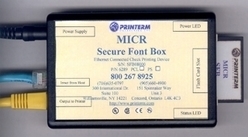
E-13B MICR font provided by Printerm conforms to ABA-X9 standards
to ensure acceptance of your checks by banking institutions.
New
CR2008 features include:
- Check 21 Compliant
- Canadian Standard 006 compliant
- CR2008
data (Accounts and Bank Info) is now secured and protected.
- Password
security, Scanned signatures and logos are printed as part of
the check, Account Screen maintains company and bank detail
- Print
blank checks and check books.
- New
Personal Check book feature to print
a. Reorder form
b. Print Check copies
c. Print Deposit slips
- Issue
checks on demand for numerous companies and accounts
- Historical
log of checks printed with all details stored
- Prints
Pre-Authorized checks by customer or company name
- Automated
signature selection and control matrix
- Check numbers can be up to 10 digits
- Multiple
format, logo, signature management
- Multiple
banks support
- Multiple
accounts support
- No
changes required to your existing application
- Audit
Capabilities
- Audit
Trail Report
- Check
Register Report
- Positive
Pay Reporting
- Manual
Check
- Special
Reporting Capability
- Incorporate
custom forms into the program
- Flexibility
to change banks or bank accounts
- Dynamic
Import Capabilities
- Standard
Admin, Maintenance and Security Features Based on Roles
- Audit
Logging, Every Single action performed on the program will be
logged
Other
features:
- Database
import from “dbf” type import file. The program
will be able to take “dbf” file format and import
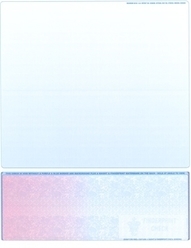
it to an “Accounts Payable or Payroll" overlay, check on the bottom,
with stub. The import will allow import of up to 30 different
fields from the database.
- Backup
and Restore of customer Account information with the Bank accounts.
This new feature will give the customer the flexibility to save
Account and Bank account information entered into the program.
If the need arises to reload the program the new restore feature
will restore all the account and bank account information the
way it was before the program was removed or crashed.
- MICR
only blank check printing. (bottom check). The MICR only feature
will enhance the selection list for blank check printing of the
program. It will allow the customer to print a “MICR only”
format onto a pre printed check. If a customer has a program that
prints a check without the MICR code line, the program will print
out the MICR line on the “Check on the Bottom” type
check paper.
Other
formats will be available upon request (special order)
To
download the complete CR2008 manual in Adobe Acrobat format: Manual
|